iOS 27 Automations Not Running? How to Fix Notification and Apple Pay Automations
An iOS 27 automation that never runs is often just switched off. The checks for notification and Apple Pay automations, in the order that finds the cause.
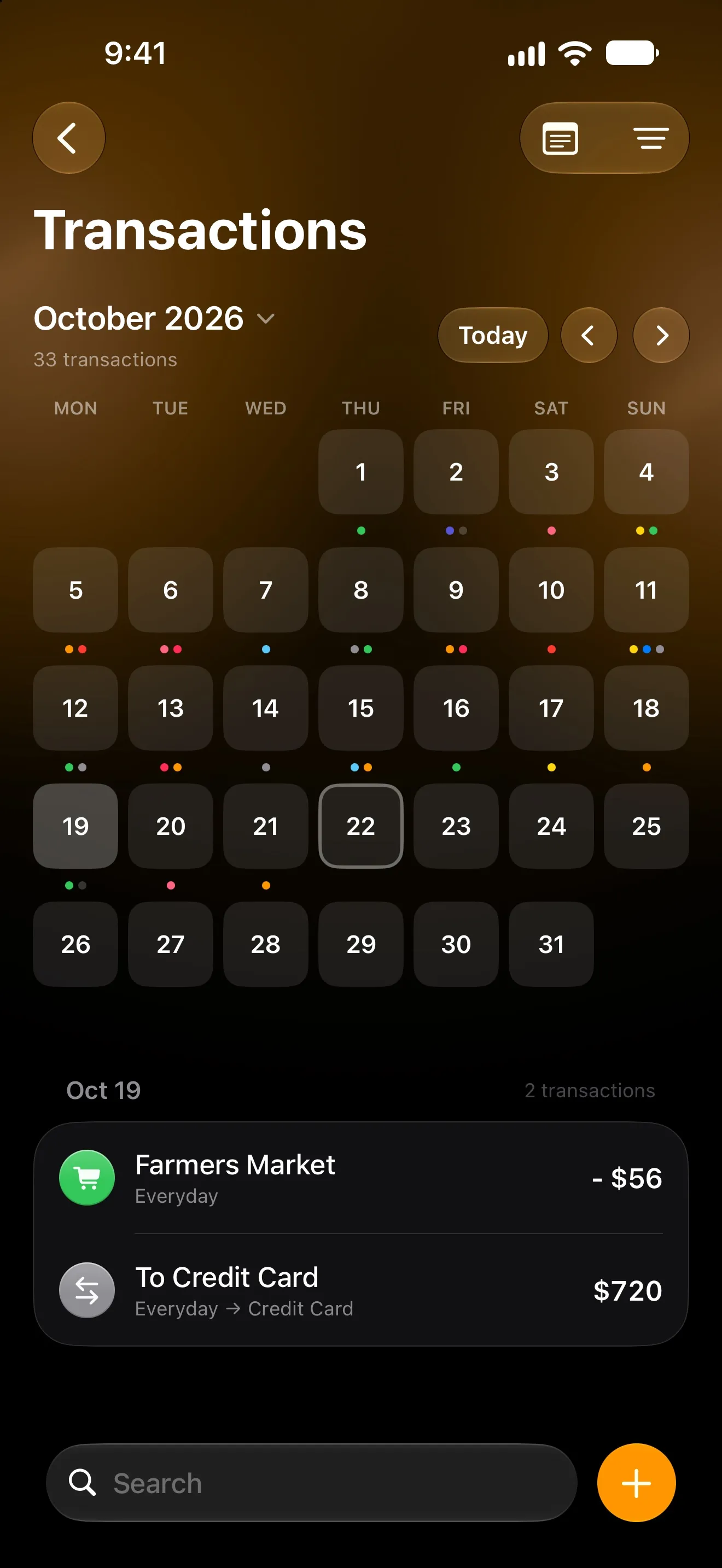
If an automation does nothing on iOS 27, check first whether it’s switched off. Automations that sync from another device arrive switched off, so do Lode’s ready-made ones, and the switch has moved. Open Shortcuts → Library → Automation and check the switch next to the automation. If it’s on, work down the checks below: how the automation is set to run, the app or card it watches, and the action it runs.
The checks cover the two automations that matter for tracking money: the new notification trigger, such as your bank’s payment alerts, and the Wallet trigger for tap to pay.
What changed in iOS 27
Apple released iOS 27 on September 14, 2026 (Apple security releases). In the new Shortcuts app, an automation is no longer a separate item in its own tab. It’s an ordinary shortcut whose first step is a trigger (Apple’s Shortcuts guide), and in the Shortcuts app the list of them is under Library → Automation. Automations you had before were converted during the upgrade, according to reports from the beta (iThinkDifferent, June 2026).
Two side effects explain most “it doesn’t run” reports:
- Ready-made ones arrive off. An automation can now be shared as a link and added in one tap. Lode’s ready-made automations, added this way, arrive switched off.
- Synced copies arrive off. Apple says automation shortcuts are specific to a device: they’re backed up to iCloud and sync to your other devices with the automation turned off (Apple).
Find the cause fast
| What you see | Likely cause | Where to look |
|---|---|---|
| Nothing happens, ever | The automation is switched off | Library → Automation |
| A notification asks you to run it | It’s set to ask first | The shortcut’s Privacy settings and the trigger |
| Some payments work, others don’t | Wrong app, a filter, or the payment wasn’t a tap | The trigger |
| It runs, but nothing is saved | The action is missing, empty or out of date | The action |
| It worked on your old iPhone | The synced copy is off | Library → Automation on the new device |
1. The automation is switched off
In Shortcuts → Library → Automation, each automation has its own switch. It should be on. The filter button at the top shows only automations that are Turned On or Turned Off, which is the quickest way to spot the ones that are off (Apple). A freshly added automation can also sit in the Finish Setting Up section until you complete it.
During the beta, some people reported that switching a misbehaving automation off and on again fixed it (iThinkDifferent).
2. It asks before running
If you get a notification asking whether to run the automation, it isn’t set to run on its own. Apple’s iOS 27 guide puts that setting here: open the shortcut, tap Edit, tap the Info button, tap Privacy and turn on Allow Running When Locked (Apple).
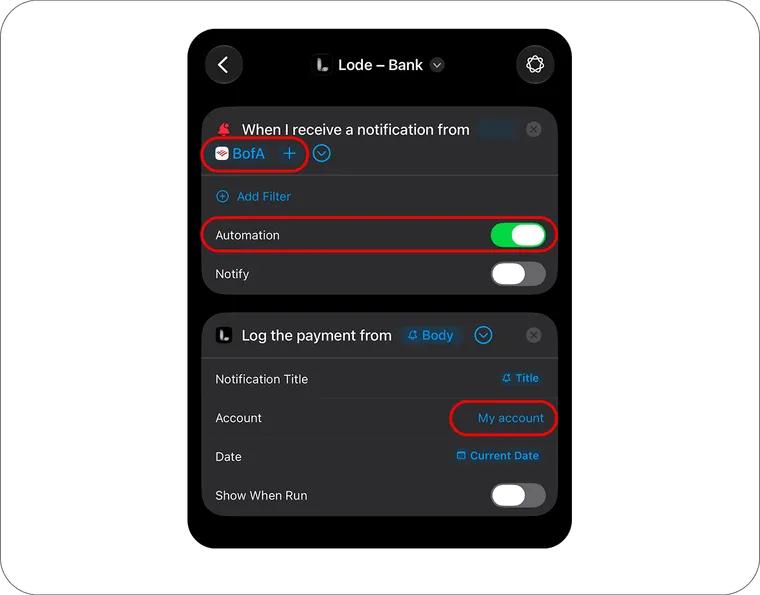
Then open the trigger itself, the first block of the shortcut, and tap its chevron. An automation meant to run silently, like the ones Lode provides, has Automation on and Notify off. On iOS 18 to 26, choose Run Immediately and turn Notify When Run off instead.
3. The trigger watches the wrong app, or a filter blocks it
The notification trigger has two settings: App, the app the notification comes from, and Add Filter, which narrows it by the notification’s Title, Subtitle or Message (Apple).
- Pick the app that shows the alert. If your bank has more than one app, choose the one whose notification you see after a card payment. A ready-made automation comes without a bank, so choose yours.
- Remove filters you added. A payment alert’s wording changes with the merchant, the amount and the kind of payment, so a filter that matched yesterday’s coffee can miss today’s refund. Lode’s automation doesn’t need one: it ignores declined payments, codes, reminders and other non-payments by itself.
- One copy per bank. Each copy watches one app. Two banks means two copies.
4. The bank’s alert never arrives as a notification
The trigger can only react to a notification that iOS actually delivers.
- In Settings → Notifications → [your bank], notifications must be allowed. A badge on the icon isn’t enough.
- In the bank’s own app, turn on alerts for card payments. Many bank apps have a separate setting for them.
- Focus and Scheduled Summary: Apple doesn’t say whether a notification silenced by a Focus or held for a summary still fires the trigger. If payments go missing only at night or during work hours, test a purchase with that Focus off.
- Two alerts within a second: Shortcuts drops a notification that arrives within about a second of the previous run starting. Alerts a few seconds apart all run.
- A locked iPhone: Lode’s bank automation still runs while the phone is locked, but it can take longer.
5. The action is missing or empty
Open the automation and look at the action under the trigger. The app it belongs to has to be installed, and up to date, on this device.
- The app isn’t on this device. That’s common with a new iPhone or an automation synced from another device. Install the app, then reopen the automation.
- The fields are empty. The trigger’s values must be passed into the action. Lode’s bank action, Log Bank Notification, reads “Log the payment from Body”, with the notification’s Title in Notification Title. Its Apple Pay action, Add Transaction, reads “Add expense of Amount at Merchant”.
- The app is out of date on one device. Shortcuts builds the action from the version of the app installed on that device, so an old copy can show fields empty. Update the app everywhere.
6. Apple Pay automations only fire when you tap
Apple describes the Wallet trigger in one line: it runs whenever the card you selected is tapped (Apple). That rules out a lot:
- Paying with the physical card, by bank transfer or by direct debit isn’t a tap, so nothing runs.
- Online and in-app Apple Pay payments may not trigger it reliably.
- It runs on iPhone only: iPad and Mac can’t tap to pay.
- Check that the card you paid with is selected in the trigger, or that it says Any Card.
In Apple’s developer forums, a thread open since October 2024 reports the Wallet trigger timing out when the card issuer is slow to pass the payment to Wallet (Apple Developer Forums), with no reply from Apple. If one card never works while another does, that may be why. On iOS 27, a bank-notification automation is the alternative for that card.
It runs, but the payment isn’t in Lode
Lode’s two automations, for bank notifications and Apple Pay, are free and come ready-made from Settings → Automation. If iOS runs them and a payment still doesn’t show up:
- Turn on Lode’s notifications. A silent automation has no screen, so Lode’s notification is the only sign it leaves. Turn on Notify Me After Each Payment in Settings → Automation, and make sure a Focus isn’t hiding Lode. Lode then says what it logged, or why it couldn’t save a payment: text it couldn’t read, a payment in another currency once the free plan’s 5 conversions a month are used, or no exchange rate.
- Test with a real purchase. Declined payments, one-time codes, reminders, pending transfers, card checks and moves between your own accounts are skipped on purpose.
- Answer the questions. Cash at an ATM isn’t recorded until you choose how, from the notification or Review Payments on the Dashboard.
- Look at your bills. A charge that matches one of your bills is recorded as that bill’s payment, not as a new row.
- Check the account. If Account is empty in the action, Lode uses your first active account.
- One automation per card. With both automations on the same card, a tap-to-pay purchase is usually logged twice.
More checks are in Troubleshooting.
FAQ
Where is the Automation tab in iOS 27? There isn’t one anymore. Automations are shortcuts with a trigger, listed under Library → Automation in the Shortcuts app.
Why did my automations turn off on my new iPhone? Apple keeps automations specific to a device. They sync through iCloud with the automation turned off, so switch each one on in Library → Automation on the device that should run it, and install the apps its actions use.
Do automations run when the iPhone is locked? Apple’s setting for that is Edit → Info → Privacy → Allow Running When Locked in the shortcut. Lode’s bank automation still runs on a locked iPhone but can take longer, and Wallet automations are more reliable when the phone is already unlocked.
Why doesn’t my Apple Pay automation run for online purchases? The Wallet trigger is built around tapping a card. Online and in-app payments may not trigger it reliably, and paying with the physical card never does.