

How to Budget for a Trip Abroad (and Know What Each Day Cost)
Set one trip budget, log spending in the currency you pay in, and watch the cost per day as you go. A simple travel money method, and an iPhone app to run it.
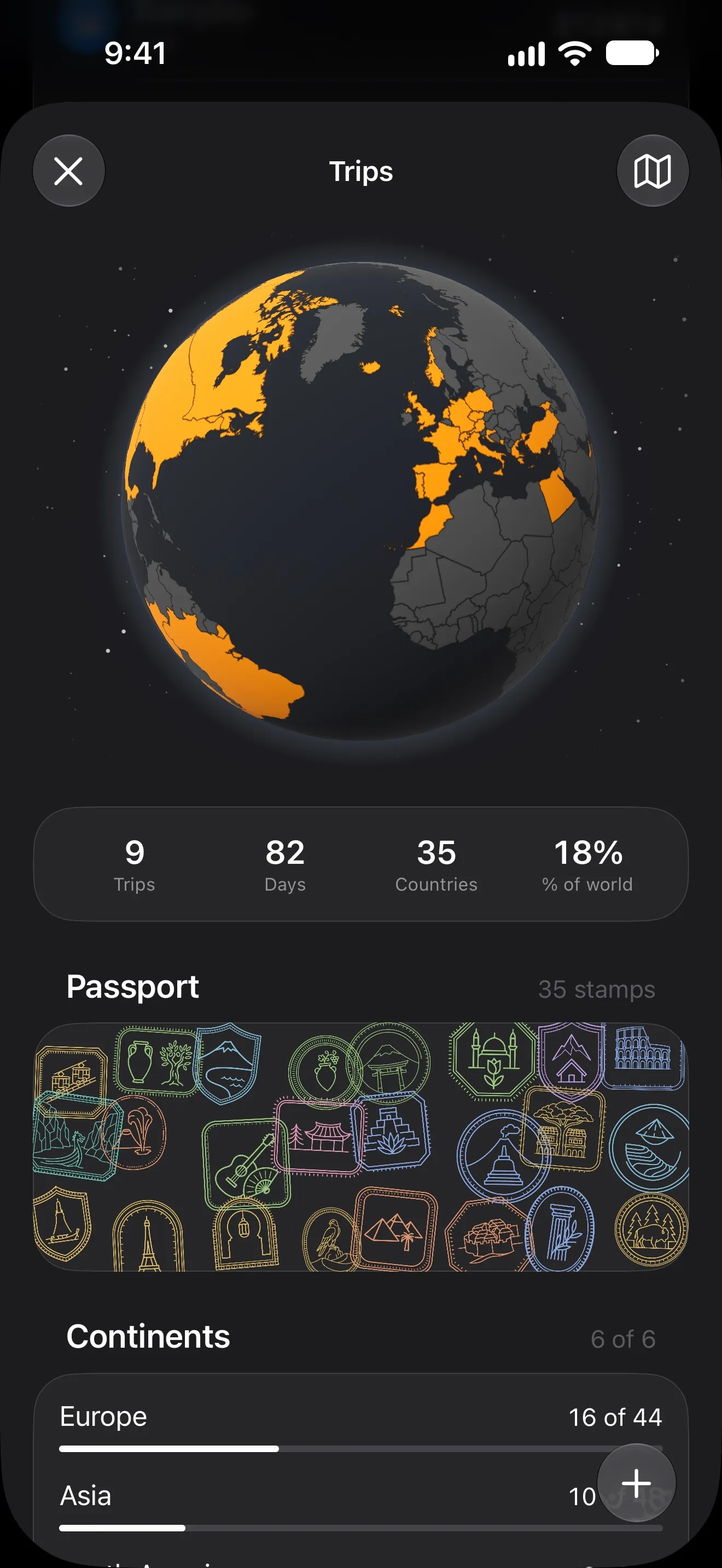
Travel budgets go wrong in a predictable way. The flights and the hotel are planned to the cent, and everything after landing is a guess. By day four you know you’ve spent “a lot”, and you find out how much when the card statement arrives.
The fix is a budget you can read while you are still travelling. Here is the method, step by step.
1. Start with one number, not a spreadsheet
Split the trip into two parts:
- Fixed costs you know before you leave: flights, stays, tickets you’ve booked.
- Daily costs you don’t: food, transport, coffee, museums, the market you didn’t plan to visit.
Your trip budget is the fixed costs plus a daily allowance times the number of days. For a 10-day trip with €1,000 of fixed costs and a €120 daily allowance, that is €2,200. That single number is what you track against.
2. Log in the currency you actually pay in
Converting every coffee into your home currency in your head is how mistakes start. Log the amount on the receipt, in the local currency, and let the app convert it.
In Lode, each expense keeps the amount you paid and the exchange rate of that day. Open a transaction and you see both — useful when the card statement shows a slightly different number. More on that in tracking spending in multiple currencies.
3. Let the trip collect its own expenses
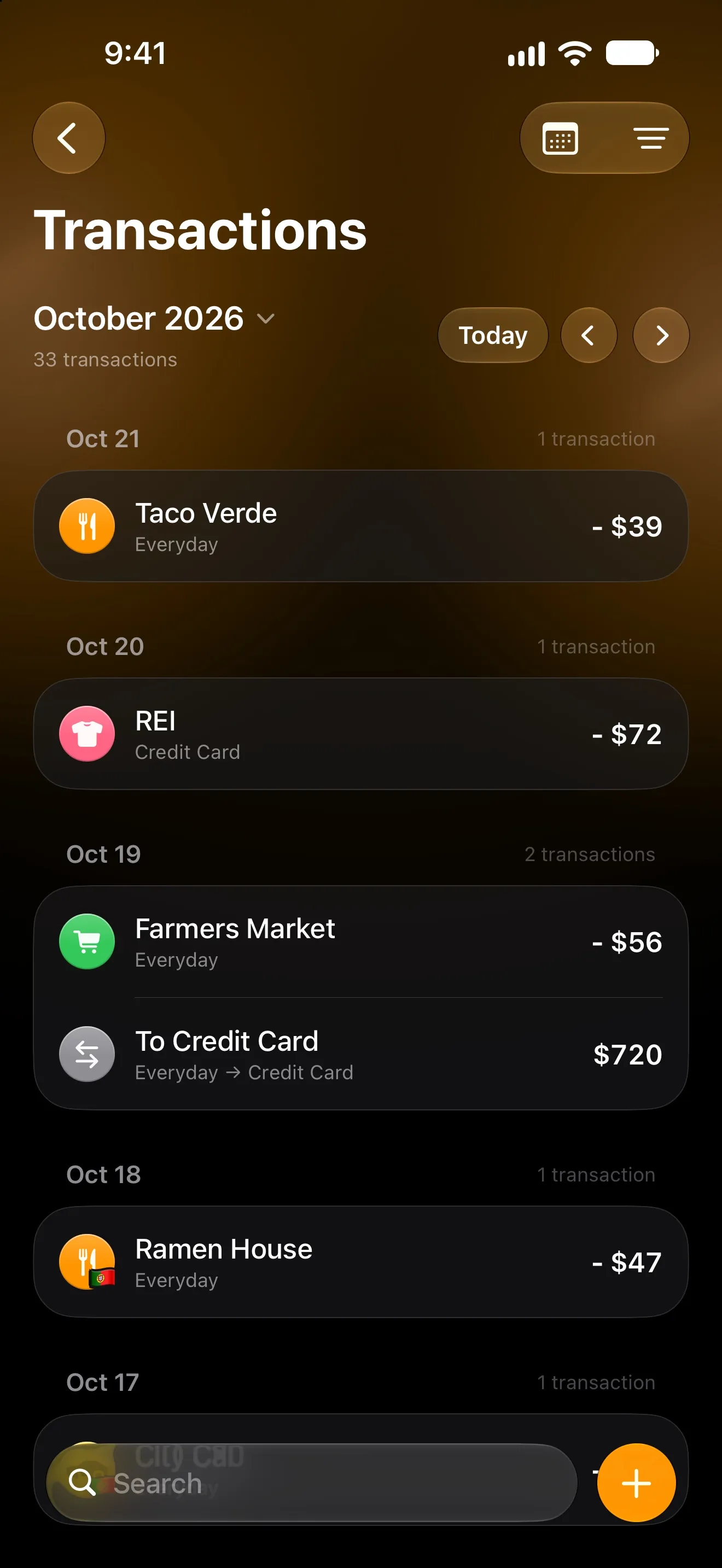
The easiest trip budget is one you don’t have to file things into. In Lode you set a trip’s country and dates once, and every expense on those days goes into the trip automatically — whether you typed it, said it, or it was logged from your bank’s notification.
Bought something at home during the trip dates? Exclude that one expense, and the trip total stays clean.
4. Watch the cost per day, not the total
A total tells you what happened. A daily figure tells you what to do tomorrow.
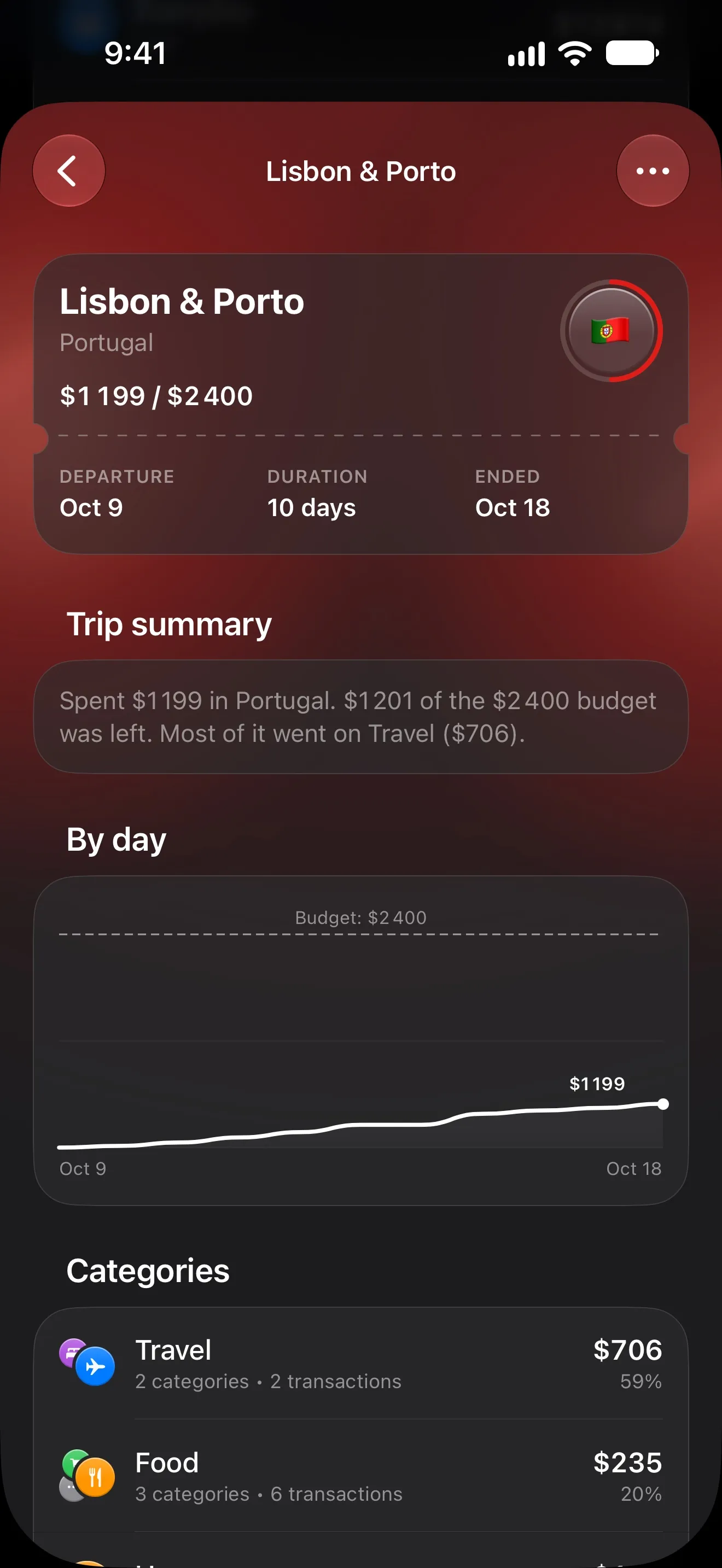
The trip page in Lode draws spending day by day against the budget line, so you see on day three whether you’re running hot. Split by category, it also shows where the money goes: in the Lisbon example above, most of it went on travel itself.
While you’re away, a Live Activity keeps the trip on your Lock Screen, so the number is a glance away.
5. Keep everyday spending separate
Trips distort normal months. A €2,000 week in Lisbon makes your food budget look broken when it isn’t.
Statistics in Lode can show a month without its trips, so you can compare everyday spending fairly — and the trip itself shows up as its own tile with a day on the road against a day at home.
6. Close the trip and keep the memory
When you’re back, close the trip. You get a summary in plain words — what you spent, how much of the budget was left, and where most of it went.
Every country you visit also gets a passport stamp. Over time the passport and the globe show how much of the world you’ve seen, continent by continent. It sounds like a gimmick; it is also the reason people keep logging on the last, tired day of a trip.
Travelling with someone?
If you share an account with a partner, the trip page shows what each of you spent, so splitting costs afterwards is a lookup rather than an argument.
Quick checklist
- Fixed costs + daily allowance × days = one trip budget.
- Log in the local currency and let the app convert.
- Set the trip’s country and dates before you fly.
- Check the cost per day every evening.
- Close the trip when you’re home.
Lode’s free plan includes one trip a year; Premium removes the limit. Logging works offline and catches up when you’re back on Wi-Fi.
More from the Journal
How to Track Spending in Multiple Currencies Without Doing Math in Your Head
Paid in one currency, spending in another? Four rules for multi-currency budgeting — accounts, base currency, exchange rates — and how to set them up on iPhone.
How to Track Expenses Automatically on iPhone
Four ways to log spending on iPhone without typing every purchase: bank sync, Apple Pay automations and the iOS 27 notification trigger — and which to pick.